The DoorDash Dasher Playbook: chapters 1 and 2 free
Author's note
This book is for people who already Dash or are about to start: the student filling dinner hours, the parent working the lunch window, the full-timer stacking DoorDash with other apps, and the driver who has done a thousand deliveries and still is not sure whether the last month was profitable. If you have ever stared at a $3.75 offer for 7.2 miles and wondered whether you are being picky or being smart, it was written for you.
DoorDash is the largest food delivery platform in the United States, and that size cuts both ways. There are orders almost everywhere, but also a lot of Dashers, a pay system with several moving parts, and rules that change by city and state. Most of what goes wrong for new Dashers is not bad luck. It is a missing piece of information: not knowing what an offer really costs to drive, not knowing which metric can cost you your account and which one only affects scheduling, or not knowing that the friendly caller asking for a verification code is a thief.
The twelve chapters follow the order in which those questions usually show up. Chapters 1 and 2 explain how pay works in 2026 and how to set up properly. Chapters 3 to 8 are the daily craft: reading offers, protecting your metrics, choosing where and when to work, pickups, drop-offs and what to say when something breaks. Chapters 9 to 11 protect what you earn: account security and appeals, the pay laws in California, New York City and Seattle, and taxes. Chapter 12 puts it all into a 30-day plan.
A few ground rules for how this book talks about money. DoorDash publishes some of its rules and keeps others private. When the company has published something, the book says so and lists the source. When something comes from what Dashers commonly report, it is labeled that way. Every dollar example is illustrative math to show the method, not a typical result. Your market, your vehicle, your hours and your choices decide what you earn, and nobody, including this book, can promise a number.
Two more promises from my side. Nothing here asks you to break DoorDash's terms: no bots, no auto-acceptors, no location tricks, no shared accounts. And nothing here is tax or legal advice.
This is an independent guide. It is not affiliated with or endorsed by DoorDash. App features and rates change, so when the app and this book disagree, trust the app and the official pages cited at the end of each chapter, then come back here for the method.
Drive safely, keep good records, and decline the offers that do not pay you.
Chapter 1: How DoorDash Pays in 2026
Before you can decide whether DoorDash is worth your time, you need to know exactly what you are being paid for. Most new Dashers learn the pay system by accident, one confusing offer at a time. This chapter shortcuts that. By the end you will know the two earning modes, the three pieces that make up every payout, the promotions that sit on top, and how the money actually reaches your bank account.
The short version
In 2026 DoorDash pays Dashers in one of two modes. Earn per Offer pays a set amount per delivery (base pay plus the customer tip plus any promotion), shown before you accept. Earn by Time, available in select US cities, pays a guaranteed minimum hourly rate for active time (from accepting an offer to completing it), with tips and applicable promotions on top. DoorDash says base pay per offer ranges from about $2 to $10 or more, and Dashers keep 100% of customer tips. Payouts arrive weekly by direct deposit for free, or faster through Fast Pay or a DoorDash Crimson account.
1. The three building blocks of every payout
Whatever mode you choose, a DoorDash payout is built from the same three blocks. Learn to see them separately, because each one behaves differently.
- Base pay. DoorDash's own contribution. The Dasher help center says that in Earn per Offer it ranges from roughly $2 to $10+ per offer, depending on the estimated time, distance and "desirability" of the offer. Offers that take longer, travel farther, or that Dashers tend to decline get higher base pay. That last part matters: the company is telling you that unpopular orders are priced up, which is one reason declining weak offers is a normal, expected part of the job.
- Customer tip. DoorDash states that 100% of tips go to the Dasher who completes the delivery, on top of base pay and promotions. Its own example: $6 base pay plus a $5 tip equals $11 for the Dasher.
- Promotions. Extra money DoorDash adds for working at certain times, in certain areas, or for completing a set number of deliveries. Peak Pay, Challenges and Delivery Streaks are the main ones (section 4).
In a few places, a fourth block appears: a legal pay adjustment. In California, New York City and Seattle, local law sets a minimum, and if the blocks above add up to less than that floor, DoorDash must top you up. Chapter 10 covers those laws in detail.
2. Earn per Offer: the default mode
Earn per Offer is how most Dashers work, and it is available everywhere DoorDash operates. Each offer pops up with a dollar amount, the restaurant or store, the total distance and a delivery deadline. You have a short countdown to accept or decline.
What the offer screen tells you, and what it does not:
- The dollar amount already includes base pay, any promotion that applies, and the tip the customer entered at checkout. DoorDash describes this amount as the minimum you will earn for that offer. The final number can be higher if the customer adds to the tip after delivery or if the order changes in a way that adds pay.
- The distance is the estimated driving distance from your current location to the pickup and then to the customer. It does not include the drive back to a busy area after drop-off. That "return leg" is real driving you pay for, and Chapter 3 shows how to price it in.
- The deadline is the time DoorDash expects the delivery to be completed. It feeds your on-time numbers in markets that track them (Chapter 4).
- What you usually cannot see is how long the restaurant will take. A $9 offer that makes you wait 25 minutes is a different offer from a $9 order that is bagged and on the shelf.
The strength of Earn per Offer is control. You see the price before you commit, you can decline without a time penalty, and if you are good at choosing, your average per hour can be higher than an hourly guarantee. The weakness is that waiting is your problem. A slow kitchen eats into your hourly rate, and nothing in base pay compensates you for it after the fact, except in places where a pay law counts that time.

3. Earn by Time: a guaranteed rate for active time
Earn by Time (sometimes still described as "time mode" by Dashers) is available in select US cities. When you start a dash in this mode, DoorDash guarantees a minimum hourly rate for your active time. According to the help center, active time starts when you accept an offer and ends when you complete the drop-off or the order is canceled. Long waits at the restaurant and traffic delays count as active time, so they do not reduce your pay the way they do in Earn per Offer. Tips and applicable promotions come on top of the hourly rate.
How to use it well:
- Check the rate before you start. In markets that offer it, the guaranteed hourly rate is shown in the app before you begin a dash (DoorDash's help article points to an hourglass icon on the home screen). The rate varies by city and by time of day. Third-party reports of specific ranges are not official, so read the number in your own app.
- Understand what is not paid. Time spent waiting between offers, driving around looking for a busy spot, or sitting in a parking lot with the app open is not active time. If your market is slow, your real hourly earnings in Earn by Time can be far below the guaranteed rate, because the guarantee only covers the minutes you are on an order.
- Expect less choice. In Earn by Time, offers are assigned more like a shift: you generally do not see the per-offer pay before accepting, and there are limits on how many offers you can decline before your session ends or you are switched back. Dashers report different limits in different markets, so read the in-app rules when you select the mode.
- Tips may be smaller or less frequent. DoorDash itself notes that tips can come less often in Earn by Time, because you cannot filter for high-tip orders.
- You can switch. You choose the mode when you start a dash. To change, end the dash and start a new one in the other mode.
| Question | Earn per Offer | Earn by Time |
|---|---|---|
| Where available | Everywhere DoorDash operates | Select US cities |
| What is guaranteed | The amount shown on each offer | A minimum hourly rate for active time |
| See pay before accepting | Yes | Generally no |
| Restaurant wait | Your cost | Paid as active time |
| Time between orders | Unpaid | Unpaid |
| Declining | Free to decline (affects acceptance rate) | Limited; check in-app rules |
| Tips | 100% to you, visible in the offer total | 100% to you, on top of the hourly rate |
| Best for | Dashers who filter well in a busy market | Slow kitchens, long waits, new Dashers learning a city |
Field rule: Earn by Time tends to look best when restaurants are slow and orders are constant, for example a busy Friday dinner with long kitchen waits. Earn per Offer tends to look best when you can be selective and the offers have strong tips. Try both for a week each in your market and compare your total earnings per total hour online, not per active hour.
4. Promotions: Peak Pay, Challenges and Streaks
Promotions are where many Dashers find the difference between an average week and a good one, but they come with conditions. Open the Promos area of the Dasher app after you log in to see what is active near you.
- Peak Pay. Extra pay for deliveries you accept during specific dates, times and areas. In Earn per Offer, it adds a flat amount to each eligible delivery (for example "+$2.00 per order" in a zone from 5 to 8 p.m.). In Earn by Time, it raises the guaranteed hourly rate. The key word is accept: the offer has to be accepted while Peak Pay is active, in the area where it applies. The Peak Pay amount is already included in the offer total you see, so do not count it twice.
- Challenges. A bonus for completing a set number of deliveries within a time window. The help center's example is an extra $20 for completing 15 deliveries during a week running Monday 12:01 a.m. to Sunday 11:59 p.m. local time. You are automatically enrolled in active challenges you are eligible for, and deliveries count only if they fall inside the time window and start from the listed starting points.
- Delivery Streaks. Extra money for accepting and completing offers back-to-back during a dash while the promotion is active. Declining in the middle can break the streak, so check the rules before you rely on it.
Treat a promotion as a tie-breaker, not a reason to accept bad offers. A $20 challenge spread over 15 deliveries is about $1.33 per delivery. If chasing it means accepting five offers that cost you more to drive than they pay, the challenge can leave you poorer. Chapter 3 shows the math.
Watch out: Messages from strangers promising "special bonuses" or "pay boosts" that require you to share a code, log in through a link, or call a number are scams. Real promotions live inside the Dasher app's Promos area. Chapter 9 covers the most common tricks.
5. How you actually get paid
DoorDash offers several ways to receive earnings. Fees and details change, so confirm in the app, but as of 2026 the options described by DoorDash are:
| Option | Timing | Cost (as published by DoorDash) |
|---|---|---|
| Weekly direct deposit | Automatic, once a week for the prior pay week | Free |
| Fast Pay | Cash out to your debit card once a day | $1.99 per transfer |
| DoorDash Crimson account | Earnings deposited automatically after each dash | Free deposit after each dash; instant transfers out cost $1.99, standard transfers are free (3 to 5 business days) |
A few practical notes:
- Crimson replaced DasherDirect. DoorDash has sunset its older DasherDirect card program in favor of DoorDash Crimson, a deposit account established by a partner bank. If you see old articles about DasherDirect cash back, they are out of date.
- You cannot use Crimson and Fast Pay together. Pick one.
- $1.99 adds up. Cashing out with Fast Pay every day of a five-day week costs about $10 a week, or roughly $500 over a year. If you do not need the money the same day, weekly deposit is free.
- Keep the weekly earnings statement. It shows base pay, tips, promotions and any adjustments per delivery. You will want it for taxes (Chapter 11) and for checking pay-law top-ups (Chapter 10).
6. What "good pay" means on DoorDash
Gross pay per hour is the number most people quote, and it is the least useful one on its own. Your real result depends on three things the gross number hides:
- Hours you were online but not on an order. If you made $25 in an "active" hour but sat waiting for 20 minutes before it, your real rate is lower.
- Miles you drove, including the return leg. Every mile has a cost: fuel, tires, maintenance, depreciation and insurance.
- Taxes. As an independent contractor you pay self-employment tax and income tax on your profit (Chapter 11).
Here is an illustrative evening, to show the method rather than a typical result:
ILLUSTRATIVE FRIDAY, 5:00-9:00 PM (Earn per Offer)

Offers completed ............ 9
Base pay + promos ........... $41.50
Customer tips ............... $46.00
Gross ....................... $87.50

Hours online ................ 4.0
Gross per online hour ....... $21.88

Miles driven (incl. return) . 46
Vehicle cost @ $0.30/mi ..... -$13.80   (your own number)
Pre-tax profit .............. $73.70
Profit per online hour ...... $18.43
Two Dashers can both say "I made $87 Friday night" and have very different businesses. The one who drove 46 miles kept more than the one who drove 80. The one who was online four hours did better than the one who was online six. That is why Chapter 3 teaches you to judge offers by dollars per mile and dollars per hour together, measured against your own cost per mile.
7. What DoorDash has not published
Some of the most-asked questions do not have official answers, and you should be wary of anyone who claims certainty:
- How offers are assigned. DoorDash has not published its dispatch algorithm. Dashers commonly report that higher Dasher Rewards status and a strong acceptance rate lead to more or better offers in some markets, and DoorDash has described priority access to offers as a Rewards benefit, but the exact weighting is not public.
- Exactly how base pay is priced. DoorDash names the inputs (time, distance, desirability) but not the formula.
- Whether a given customer will add a tip later. Some do, most do not. Plan on the amount shown.
When a forum post says "the algorithm punishes you for X," treat it as a hypothesis to test, not a rule. Your own records are the best evidence you will ever have about your market.
8. Your first-week pay checklist
- Open the Promos area at the start of every dash and note what is active.
- Check whether Earn by Time is offered in your city, and what the rate is at the times you work.
- Decide on weekly deposit, Fast Pay or Crimson, and know what each costs you.
- Record start and end odometer readings and hours online for every dash (Chapter 11 explains why).
- Download or screenshot each weekly earnings statement.
- After a week, calculate gross per online hour and profit per online hour. That is your baseline for everything that follows.
Key takeaway: DoorDash pay is base pay plus tips plus promotions, delivered either per offer or as an hourly guarantee for active time. Neither mode pays you for empty time between orders, and neither pays for the miles home. Your job is to keep both small.
Watch: “DoorDash Dasher: Earn By Time vs Earn Per Offer (2026)” by Your Driver Mike (YouTube, Jan 2026). The creator compares the two earning modes chapter by chapter, including availability, bonus pay, tips, acceptance rate and the Order Delay Pay he lists as new for 2026, before giving his own verdict.
Sources
- DoorDash Dasher Help: How Dasher Pay Works, https://help.doordash.com/en-us/dashers/article/how-is-dasher-pay-calculated
- DoorDash Dasher Help: Earn by Time mode, https://help.doordash.com/en-us/dashers/article/time-earnings-mode
- DoorDash Dasher Help: Dasher Promotions and Incentives, https://help.doordash.com/en-us/dashers/article/dasher-promotions-and-incentives-landing-page
- DoorDash Dasher: Pay overview, https://dasher.doordash.com/en-us/about/pay
- DoorDash Dasher blog: DoorDash Crimson, https://dasher.doordash.com/en-us/blog/doordash-crimson-card
Chapter 2: Getting Started: Sign-Up, Vehicle, Gear and the Red Card
Your first week on DoorDash sets habits that stick for years. Dashers who start with the right vehicle choice, a short list of gear, a working Red Card and a simple record-keeping routine tend to avoid the expensive mistakes: a rejected insurance claim, a Shop & Deliver order they cannot pay for, a tax bill with no mileage log behind it. This chapter walks through sign-up, choosing how you will deliver, the gear that earns its keep, the Red Card and Crimson, the app settings to check, and a plan for your first three dashes.
The short version
To Dash you generally need to be at least 18 (some markets set a higher age for driving), have a smartphone, pass a background check, and provide identity and, for car delivery, license and insurance details. Choose car, scooter, bike or walking based on your market and your costs. Buy an insulated bag, a phone mount and a charger before anything else. Activate the Red Card early, because Shop & Deliver offers cannot be completed without it. Start a mileage log on day one.
1. Basic requirements
DoorDash lists its current requirements on the Dasher sign-up page, and they vary by state and city. In general you will be asked for:
- Age. 18 or older is the baseline. Some markets require Dashers who deliver by car to be older, so check the sign-up page for your area rather than relying on a blog list.
- Identity. A government-issued ID and your Social Security number (used for the background check and for tax reporting). Expect identity verification during sign-up and occasional re-verification later.
- Background check. DoorDash uses a third-party background check provider. Car Dashers also get a motor vehicle record check.
- For car delivery. A valid driver's license, a vehicle, and auto insurance that meets your state's requirements. In some markets you will be asked to verify the vehicle itself. For example, DoorDash's help center says that starting January 1, 2026, Dashers in Washington, D.C. must verify their vehicle by providing its registration.
- A smartphone that runs the current Dasher app, with a data plan that will not throttle you mid-shift.
Tip: Make sure the name on your account, your ID and your bank account match exactly. Mismatches are a common cause of payout delays and verification problems later.
2. Car, scooter, bike or on foot?
DoorDash offers car delivery everywhere and bike, e-bike, scooter or walking delivery in select, usually dense, markets. Your choice decides your cost per mile, the radius of offers you will see, and how weather affects you.
| Mode | Strengths | Weaknesses | Best fit |
|---|---|---|---|
| Car | Any market, any weather, large orders and Shop & Deliver, longer trips | Highest cost per mile, parking in dense areas, insurance questions | Suburbs, mid-size cities, Shop & Deliver |
| Hybrid or EV | Same reach as a car with lower fuel or energy cost | Higher purchase cost; charging time for EVs | Full-timers driving many miles |
| Scooter or motorcycle | Cheap to run, easy parking | Weather, cargo limits, local licensing rules | Dense cities with mild weather |
| E-bike or bike | Very low cost per mile, no parking problem | Short radius, weather, theft risk, physical fatigue | Downtown cores and campuses |
| On foot | Almost zero cost | Very short radius, low volume | Very dense downtowns only |
If you already own a reliable, fuel-efficient car, start with it. Do not buy a vehicle for DoorDash until you have at least a month of your own data showing what you earn per hour and per mile in your market.
3. Insurance: the conversation most Dashers skip
Many personal auto policies exclude or limit coverage when you are using the car for paid delivery. If you have an accident during a delivery and your insurer learns you were working, a claim can be denied or a policy canceled. DoorDash says it maintains excess auto liability coverage for Dashers while they are on an active delivery, but excess coverage typically applies only after your own policy and does not cover damage to your own car.
- Call your insurer and ask, in plain words: "Does my policy cover me while I deliver food for an app?"
- If not, ask about a rideshare or delivery endorsement, or a policy that covers commercial use. The extra cost is often modest compared with the risk.
- Read DoorDash's current insurance page in the Dasher help center so you know what it covers and when.
- Keep the answer in writing (an email or a policy document) in your records folder.
Warning: Do not assume DoorDash's coverage replaces your own. Read the terms, and if you are unsure, ask a licensed insurance agent. This book cannot tell you whether your specific policy covers delivery.
4. Gear that pays for itself
Customers judge you on food arriving hot, cold, intact and on time. Your gear is how you deliver that. Keep the list short and buy quality where it matters.
| Item | Why it matters | Priority |
|---|---|---|
| Insulated delivery bag (large) | Keeps food at temperature; DoorDash expects food to be transported in one | Day one |
| Pizza bag or second flat bag | Pizza boxes and catering trays do not fit in standard bags | Week one |
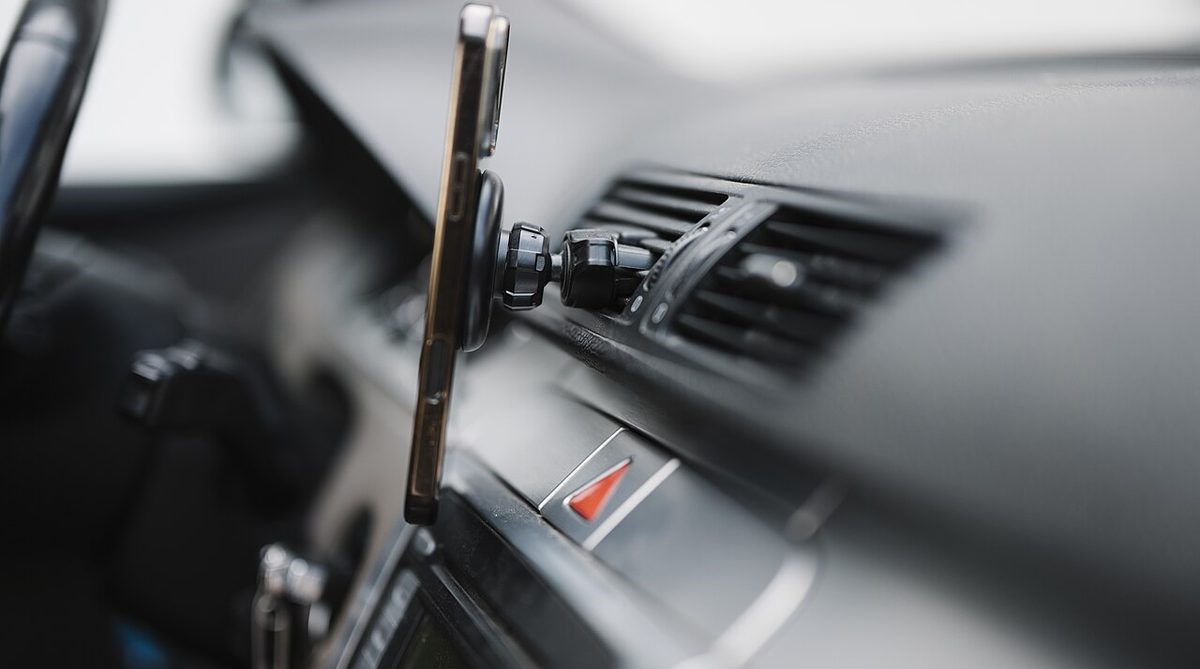
| Sturdy phone mount | Hands-free navigation and safer offer reading | Day one |
| Car charger and spare cable | Navigation and the app drain batteries fast | Day one |
| Drink carrier or cup holder insert | Spilled drinks are a top cause of complaints | Week one |
| Cold bag or cooler bag | Grocery and convenience orders with frozen items | If you take Shop & Deliver |
| Small flashlight | Finding house numbers and apartment units at night | Week one |
| Umbrella, rain jacket | Rain is often busy and lucrative | Before the first storm |
| Trunk organizer or crate | Stops bags from tipping and sliding | Week two |
A good insulated bag is not just about ratings. Food that arrives cold leads to "food was cold" reports, which can feed into your quality numbers in markets that track them (Chapter 4). It also signals professionalism at the restaurant counter, which helps when you need staff to hurry an order.
5. The Red Card: set it up before you need it
The Red Card is a prepaid card DoorDash gives Dashers to pay for orders that have to be bought at the store, mainly Shop & Deliver offers at grocery, convenience and retail stores, and some restaurant orders where the Dasher places the order at the counter. Key points from DoorDash's help center:
- The card is funded automatically at checkout for the order you are working. It is not linked to your bank account and it is not your earnings.
- DoorDash recommends adding the digital Red Card to your phone's wallet. Many Dashers also carry the physical card as a backup.
- Shop & Deliver offers can only be completed with a Red Card. If you have not activated it, you will either have to decline those offers or risk a messy unassign at the register.
- If the card is declined and you pay out of pocket, DoorDash has a reimbursement process. Do not rely on it: support time is unpaid time. Chapter 8 has the script.
- Request or activate the Red Card in the app as soon as your account is approved.
- Add the digital card to your phone wallet and test that it appears.
- Store the physical card somewhere you will not lose it, separate from your personal cards.
- Read the "Proceed to Checkout" flow in the app once before your first shopping order (Chapter 6 walks through it).
6. Choosing how you get paid
Chapter 1 compared weekly direct deposit (free), Fast Pay ($1.99 per cash-out) and DoorDash Crimson (free deposit after each dash; $1.99 for instant transfers out). Pick one now so your first payout is not a surprise. If you choose Crimson, your default payout switches to it once you are approved, and you get a virtual card in the app while the physical card is in the mail.
Tip: Whichever option you choose, set up a separate savings account for taxes and move a fixed share of every payout into it. Chapter 11 explains how much.
7. App settings to check before your first dash
- Navigation app. Choose the maps app you know best. Familiar turn-by-turn instructions save seconds at every turn.
- Notifications and sounds. Make sure offer alerts are loud enough to hear over music and road noise.
- Delivery preferences. Depending on your market, the app may let you opt into or out of certain order types, such as Shop & Deliver or alcohol (alcohol requires completing DoorDash's alcohol training where required; see Chapter 7). Look through the settings menu so you know what is turned on.
- Starting point. Your dash begins from a starting point (zone). Chapter 5 explains how to choose it.
- Emergency features. Find the in-app safety features, including how to contact emergency services from inside the app, before you need them.
- Phone basics. Turn on automatic updates for the Dasher app, disable battery optimization for it so it is not killed in the background, and set up a text replacement shortcut for your most common messages (Chapter 7 gives templates).
8. Start your records on day one
Records are boring until tax season or an account dispute, and then they are the most valuable thing you own. Before your first dash, set up:
- A mileage log. An app that records trips automatically, or a notebook in the glovebox. Log the date, starting and ending odometer, and business purpose for every dash. The IRS requires a contemporaneous record.
- A receipts folder. A photo folder or a scanning app for bags, phone mounts, parking, tolls and phone bills.
- A weekly sheet. Hours online, active hours if you track them, deliveries, gross pay, tips, miles. One row per dash.
WEEKLY DASH LOG (one row per dash)

Date | Start-End | Hrs | Deliv | Base+Promo | Tips | Miles
-----+-----------+-----+-------+------------+------+------
Mon  | 11:00-2:00| 3.0 |   6   |   $27.00   | $24  |  31
Fri  | 5:00-9:00 | 4.0 |   9   |   $41.50   | $46  |  46
...
Totals and $/hour, $/mile at the bottom.
9. Your first three dashes
Do not try to maximize pay in your first week. Try to learn your market without damaging your metrics.
- Dash 1 (lunch, 2 hours). Lunch tends to have simpler orders and daylight. Accept most reasonable offers close to your starting point. Focus on the pickup and drop-off flow and on taking clear photos.
- Dash 2 (weekday dinner, 3 hours). Start applying the $/mile check from Chapter 3. Note which restaurants are fast and which are slow.
- Dash 3 (weekend dinner, 3 to 4 hours). Try a peak window. Check Promos before you start. Compare your gross per online hour with the first two dashes.
After those three dashes, write down: your gross per online hour, your miles per hour online, the three fastest restaurants, the three slowest, and the neighborhoods you never want to deliver to again. That is the beginning of a local playbook nobody else can sell you.
10. Mistakes that cost new Dashers the most
- Accepting everything to "please the algorithm." Acceptance rate matters for some Rewards benefits, but a high acceptance rate on money-losing offers is not a business. Chapter 4 shows how to balance it.
- Unassigning after accepting. Completion rate is tied to deactivation risk (Chapter 4). Decide before you accept.
- Skipping the Red Card setup. Then declining or botching the first Shop & Deliver order.
- No insurance conversation. One accident can wipe out a year of profit.
- No mileage log. Without it, the largest tax deduction most Dashers have is hard to defend.
- Answering "DoorDash Support" calls that ask for codes. DoorDash says it will never call and ask for your verification code or password. Hang up and contact support from inside the app.
Key takeaway: A clean start costs about one evening of setup and a modest gear budget: confirm requirements, sort out insurance, buy a good bag and mount, activate the Red Card, choose a payout option and start a mileage log. Everything else in this book builds on that foundation.
Sources
- DoorDash Dasher: Sign-up and requirements, https://dasher.doordash.com/en-us
- DoorDash Dasher Help: How do I set up and use the Dasher Red Card?, https://help.doordash.com/en-us/dashers/article/how-do-i-setup-and-use-the-dasher-red-card
- DoorDash Dasher Help: D.C. Vehicle Verification FAQ, https://help.doordash.com/en-us/dashers/article/dc-vehicle-verification-faq
- DoorDash Dasher blog: DoorDash Crimson, https://dasher.doordash.com/en-us/blog/doordash-crimson-card
- IRS: Topic No. 510, Business use of car, https://www.irs.gov/taxtopics/tc510