The Grubhub Driver Playbook: chapters 1 and 2 free
Author's note
This book is for people who drive, ride or scoot for Grubhub and want to treat it like a small business instead of a slot machine. Maybe you signed up last week and are still figuring out what a block is. Maybe you have a few hundred deliveries behind you and want to know why some weeks feel great and others barely cover gas. Either way, the goal is the same: help you make clearer decisions with the time and the vehicle you already have.
Grubhub is different from DoorDash and Uber Eats. It is smaller in most markets, it leans on scheduled blocks, it pays a contribution on slower days when certain conditions are met, and it reaches customers through channels such as Amazon. Those details change how you should plan a week, so this book keeps the focus on Grubhub and points out where it works like the other apps and where it does not.
How to use it: read Chapters 1 through 4 in order. They explain how pay is built, how to get set up, how scheduling works and how to judge an offer against your own cost per mile. After that, jump to what you need. Worried about your account? Read Chapters 5 and 9. Working in California, New York City or Seattle? Read Chapter 10 before your next shift. Read Chapter 11 before you file taxes. Chapter 12 turns everything into a 30-day plan with checklists.
A few honest ground rules. Nothing here is a promise of earnings. Pay depends on your market, the hour, the weather, your vehicle, your costs and a dispatch system Grubhub has not fully disclosed. When this book quotes pay figures from drivers, creators or surveys, it says so, and its own math is illustrative; rerun it with your numbers. Grubhub changes features, labels and thresholds often, and they vary by market, so check the current rule in your Driver app and on Grubhub's official driver pages. This is an independent guide, not affiliated with, endorsed by or sponsored by Grubhub or Wonder.
You will not find bots, GPS tricks, account sharing or other shortcuts that break the rules. They are the fastest way to lose an account. You will find practical tools: how to read an offer in five seconds, what to say to support, which records to keep, and how to plan a week around real demand.
Tax and legal sections are general information, not tax or legal advice. Confirm the details with a CPA, an Enrolled Agent or a licensed attorney where it matters.
Drive safely, keep good records, and decline the offers that do not pay you for your time.
Chapter 1: Grubhub in 2026: Who Owns It, Where It Works and How Driver Pay Is Built
The short version
Grubhub is now a privately held subsidiary of Wonder, the food company led by Marc Lore. Drivers are independent contractors paid per delivery. Your earnings are made of delivery pay (based on market, mileage, time, delivery type and bonuses), a Grubhub contribution that can top up slower periods when you meet the conditions, and 100% of customer tips. You can cash out up to $500 a day with Instant Cash Out or take weekly direct deposit. None of this guarantees a particular hourly figure; your results depend on your market, your hours and your costs.
Before you can make good decisions on Grubhub, you need an accurate picture of the company you are working with and the parts of the paycheck you can influence. Most frustration among new drivers comes from a gap between what they expected (a fixed hourly rate, a steady stream of orders) and how the platform really works (per-delivery pay, limited driver slots, and a market-by-market system that changes often). This chapter closes that gap.
1. Who owns Grubhub in 2026
Grubhub was founded in Chicago, merged with Seamless, and was bought by the European company Just Eat Takeaway in 2021. In late 2024, Wonder agreed to buy Grubhub from Just Eat Takeaway for a reported $650 million (mostly assumed debt plus cash), and the deal closed in early 2025. Since then Grubhub has operated as a Wonder subsidiary.
Why should a driver care about ownership? Because it shapes what the company is trying to do with its delivery network:
- Wonder is a food company first. It runs delivery-focused restaurant halls and owns other food brands. Grubhub gives it a large customer base and a driver network. In practice, that means Grubhub drivers may see orders from Wonder's own kitchens alongside regular restaurants in markets where Wonder operates.
- Cost cutting and consolidation. After the acquisition, Grubhub and Wonder announced layoffs of corporate staff, and in September 2026 Wonder filed a New Jersey WARN notice for 533 layoffs tied to consolidating facilities. These were employees, not drivers, but they signal a company focused on efficiency. Expect features and pay rules to keep changing.
- Selling non-core pieces. In September 2026, DoorDash agreed to buy Grubhub's Campus Dining business (formerly Tapingo), which is live at roughly 450 colleges and universities, for $300 million, alongside a $125 million investment in Wonder. Chapter 6 explains what this may mean for campus deliveries; until the deal closes and the transition is announced, check the app for how campus orders are handled in your market.
- Robots in a few markets. In October 2026 Wonder announced it was expanding robot delivery with Avride through Grubhub in Jersey City and Hoboken, Arlington County (Virginia) and Philadelphia. Robots so far handle a small slice of short-distance orders in specific areas. They are worth watching, not worth panicking over.
Driver takeaway: Grubhub is a smaller, efficiency-minded player that is reshaping itself under new ownership. That is exactly why you should never build your week around a single feature or bonus. Build it around habits that work on any version of the app: picking good hours, judging offers by your own cost, and protecting your account.
2. Where Grubhub's orders come from
A driver's order volume depends on how many customers in your area use Grubhub. Grubhub's customers reach it through several doors:
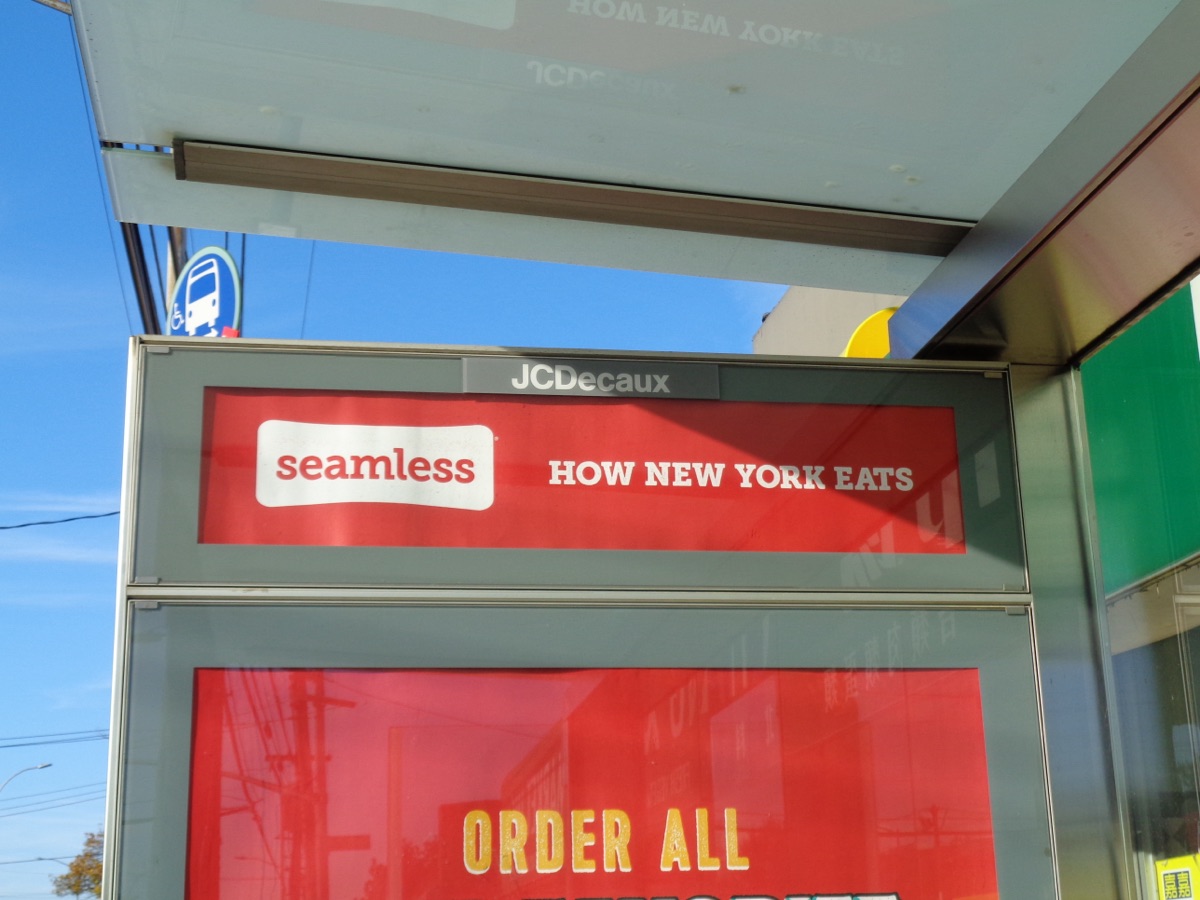
- The Grubhub and Seamless apps and websites. Seamless remains a strong brand in New York City, and orders from both apps flow to the same driver network.
- Amazon. Since 2024, Amazon Prime members in the U.S. have been able to get a Grubhub+ membership as a Prime benefit and order Grubhub directly inside Amazon's website and shopping app. For drivers, these look like normal Grubhub orders. The practical effect is that some customers are Prime members who expect Amazon-level delivery experiences: clear photos, accurate drop-offs, and on-time arrival.
- Corporate and catering accounts. Grubhub has long sold office ordering programs. Larger catering orders exist in some markets, and the FAQ says higher Driver levels get access to larger catering orders where available (Chapter 5).
- Self-delivery restaurants. Some restaurants listed on Grubhub use their own drivers. Those orders never reach you. In markets where many restaurants self-deliver, Grubhub driver volume can be lower than the app's restaurant count suggests.
Grubhub's market share is smaller than DoorDash's and Uber Eats' in most U.S. cities. In some cities, especially parts of New York, Chicago, Philadelphia, Boston and certain college towns, Grubhub is busier than its national share suggests. In others, it may be a secondary app you run alongside a busier one. Chapter 6 shows how to find out which describes your area within two weeks.
3. The pieces of a Grubhub paycheck
Grubhub's own driver FAQ describes earnings as a combination of three things. Here they are in plain language.
| Component | What it is | What you control |
|---|---|---|
| Delivery pay | The per-order amount, which Grubhub says reflects your market, mileage, time, delivery type and bonuses. | Which offers you accept; how efficiently you work. |
| Grubhub's contribution | Money Grubhub adds to reach a minimum rate on slower days, when the conditions in your market are met (typically tied to scheduled blocks). | Claiming blocks, staying in your region, meeting the stated conditions. |
| Tips | Grubhub says drivers keep 100% of tips from completed orders. | Service quality, communication, accurate drop-offs. |
| Missions and promotions | Extra pay for completing set goals, such as a number of deliveries in a period. Availability varies by market and week. | Whether a mission fits your plan; never chase one at a loss. |
Delivery pay. Each offer shows an estimated amount for the order (or bundle of orders). Grubhub says the base amount accounts for mileage, delivery type and time spent delivering. The company has not published a public, per-mile or per-minute formula for all markets. Drivers commonly report that longer and slower trips pay more in dollars but often less per hour. Your job is not to decode the formula. Your job is to judge whether the offer pays enough for the miles and minutes it will actually take (Chapter 4).
Grubhub's contribution. This is the piece many new drivers misunderstand. Grubhub says it contributes "for minimum rates on slower days." In practice, drivers report that the contribution works as a top-up during a scheduled block: if your delivery pay for the block falls below a minimum Grubhub sets for that market and time, Grubhub adds the difference, as long as you met the conditions (such as staying in your region, staying available, and accepting enough offers). Third-party guides quote different acceptance thresholds and different minimums by city; Grubhub has not published one national number. Read the current terms in your app, usually under Account, then Help, then the payments section. Chapter 3 explains how to use this protection without overpaying for it.
Tips. Customers can tip in the app, and Grubhub says you keep 100% of tips on completed deliveries. Drivers commonly report that the amount shown on an offer includes the expected tip, so a large-looking offer may be mostly tip. Check how your statement separates pay and tips (it should, line by line) and keep those weekly statements for taxes, because the qualified tips deduction depends on knowing your tip total (Chapter 11).
Missions. Grubhub describes missions and occasional sweepstakes as ways to boost earnings. Missions are usually targets, such as completing a number of deliveries in a window. They can be worth it if they line up with hours you would have worked anyway. They become a trap when they push you to accept unprofitable offers to hit a count.
4. How Grubhub pay reaches your bank
According to Grubhub's driver FAQ in 2026:
- Weekly direct deposit: pay is deposited on Thursdays for the prior pay period.
- Instant Cash Out: you can cash out available earnings up to $500 per day. Grubhub says it is free for Chase customers and costs $0.50 for other banks. Earnings generally become available shortly after a delivery is completed (Grubhub's driver site says about 15 minutes).
- Bank speed varies: banks that support real-time payments receive money almost instantly; others can take longer, especially on weekends or outside banking hours.
- Cut-off: funds you have not cashed out by 11:59 p.m. Central on Monday go through the regular weekly payment process.
- Security hold: Instant Cash Out is unavailable for 72 hours after you update your bank details. Remember this rule; scammers use bank changes to steal pay (Chapter 9).
Tip: If your bank is not Chase, decide whether daily cash-outs are worth $0.50 each. Five cash-outs a week cost $2.50, or about $130 a year. One cash-out at the end of the week, or simply waiting for Thursday, saves that money for anyone who does not need daily cash.
5. What Grubhub pays when something goes wrong
Two rules from the FAQ matter on day one:
- Canceled orders: if an order is canceled before you pick it up, you may get partial pay based on your progress and estimated arrival. If it is canceled after pickup, Grubhub says you receive the full offer amount.
- Reassigned orders: if you ask to have an order reassigned, you are not paid for it.
The lesson: decide on the offer screen, not after you have driven halfway. Asking for reassignment costs the time already spent and, as Chapter 5 explains, can hurt your Offer Commitment Rate.
6. The pay claims you will see online, and why to ignore most of them
In December 2024, the Federal Trade Commission and the Illinois Attorney General announced a $25 million settlement with Grubhub. Among other allegations, the regulators said Grubhub's driver recruiting ads overstated likely earnings, for example advertising up to $26 an hour in Chicago when, according to the complaint, median pay was about $11 an hour, and up to $40 an hour in the New York area when the median was about $10. Grubhub denied the allegations and settled without admitting wrongdoing. The order requires that future earnings claims to drivers be truthful and backed by evidence. In August 2026, the FTC announced it was sending more than $23.8 million in payments to drivers and diners harmed by the conduct alleged in the case. If you drove for Grubhub during the period covered, check the FTC's Grubhub refunds page for eligibility, and be wary of anyone who asks for a fee to "claim" a refund.
Third-party trackers also publish numbers. Gridwise, for example, reported a median of about $15 to $16 per hour in gross Grubhub pay (before expenses) for the drivers using its app in 2025. Those figures are gross, depend heavily on which drivers use the tracker, and say nothing about your costs.
Reality check: Gross dollars per hour is the most quoted and least useful number in delivery work. A driver who grosses $22 an hour while driving 18 miles an hour in an older SUV may net less than a driver grossing $17 an hour on a bike in a dense downtown. Chapter 4 shows how to calculate your own net hourly rate, which is the only number that matters for your decisions.
7. Your status: independent contractor
Grubhub drivers are independent contractors, not employees, in almost every market. That has practical consequences:
- No tax is withheld from your pay. You are responsible for income tax and self-employment tax (Chapter 11).
- You choose when to work and which offers to accept, but Grubhub tracks metrics that affect your Driver level and access to blocks (Chapters 3 and 5).
- Your relationship is governed by the agreement you accept in the app, which typically includes a binding arbitration clause. Read it once, and note any opt-out window it offers (Chapter 9).
- Some states and cities set pay floors and protections for app-based delivery workers regardless of contractor status: California (Prop 22), New York City and Seattle among them (Chapter 10).
8. A simple model of a Grubhub hour
To make the rest of the book concrete, here is an illustrative hour. These numbers are invented for teaching; your market will differ.
 ONE ILLUSTRATIVE GRUBHUB HOUR (car, suburban market)
 ------------------------------------------------------
 Offer A: $9.50 incl. tip   4.2 mi   22 min
 Offer B: $7.25 incl. tip   3.1 mi   18 min
 Waiting / repositioning:   2.7 mi   20 min
 ------------------------------------------------------
 Gross pay ................................. $16.75
 Total miles ............................... 10.0 mi
 Your cost per mile (example) .............. $0.30
 Vehicle cost (10.0 x $0.30) ............... $3.00
 ------------------------------------------------------
 Net before tax ............................ $13.75
 If the block contribution tops this hour
 up to a market minimum, the gap is added
 only when you met the block conditions.
Notice three things. First, the "dead" twenty minutes and 2.7 miles between orders are real costs that no offer screen shows you. Second, the cost per mile you choose changes the result a lot; $0.30 is a rough fuel-and-maintenance figure for an efficient car, not a full ownership cost. Third, the contribution only matters if your block conditions are met. Each of these becomes a lever in later chapters.
9. What changes most often
Expect these to change during any given year, and check them in the app rather than trusting an old video or post:
- Minimums used for the contribution and the conditions attached to them.
- The thresholds for Driver levels and the perks of each level.
- Whether Auto-Accept, Shop + Pay, catering or campus orders are available in your market.
- Instant Cash Out limits and fees.
- Market waitlists and delivery region boundaries.
Chapter checklist
Open your Driver app and find: (1) your market's payment terms under Account and Help; (2) your delivery region map; (3) your Driver level and stats; (4) your payout method and whether Instant Cash Out charges you a fee. Write down what you find with today's date. You will compare it with what you see in 30 days.
Watch: “I Tested Grubhub Driving In 2026 (How Much I Made)” by Your Driver Mike (YouTube, Jan 2026). He films a full 2026 shift with the offer, pickup and drop-off screens on camera, explains which offers he declined and why, and reports his own total for that one shift.
Sources
- Grubhub for Drivers FAQ (pay components, Instant Cash Out, canceled and reassigned orders, Driver levels): https://driver.grubhub.com/faq/
- Grubhub for Drivers home page (requirements, scheduling, tips): https://driver.grubhub.com/
- FTC press release on the Grubhub settlement, December 17, 2024: https://www.ftc.gov/news-events/news/press-releases/2024/12/ftc-illinois-attorney-general-take-action-against-grubhub-harming-diners-workers-small-businesses
- FTC, August 2026, refund payments to drivers and diners in the Grubhub case: https://www.ftc.gov/news-events/news/press-releases/2026/08/ftc-sends-more-238-million-drivers-diners-harmed-grubhubs-deceptive-advertising-claims-other
- TechCrunch, September 15, 2026, DoorDash and Wonder partnership including the Grubhub Campus Dining sale: https://techcrunch.com/2026/09/15/wonder-scores-a-425-million-partnership-with-doordash-as-it-builds-its-food-empire/
- Amazon, Grubhub+ as a Prime member offer: https://www.aboutamazon.com/news/retail/amazon-prime-grubhub
Chapter 2: Getting Started: Application, Waitlists, Setup and Gear
The short version
You apply inside the Grubhub for Drivers app. You need to be at least 18 (21 in Las Vegas), have a smartphone with data, a checking account, and, for car and motorcycle drivers, a valid license and auto insurance. After identity verification and a background check you may start quickly, but many markets keep a waitlist. Grubhub mails an insulated bag and a Driver Card after your first delivery. Set up your app, your phone, your car and your records before your first shift, and treat the first week as practice, not a test of income.
The first two weeks on any delivery app decide a lot. Drivers who start with a plan learn the zone, protect their metrics and make better decisions from day one. Drivers who start by accepting everything often burn out, hurt their numbers and quit thinking the app "doesn't pay." This chapter gives you the plan.
1. Requirements in 2026
Grubhub's driver site and FAQ list these basics:
- Age: 18 or older; 21 or older in Las Vegas.
- Vehicle: car, motorcycle, scooter or bicycle, depending on the market. Not every market accepts bikes or scooters.
- License and insurance: drivers need a valid driver's license and auto insurance. Bike couriers need a valid driver's license or state ID.
- Phone: an iPhone or an Android phone with a data plan.
- Bank: a checking account for direct deposit.
- Background check: required. No resume, interview or experience is needed.
Insurance warning: A standard personal auto policy often excludes driving for a delivery app. If you crash while working and your insurer learns you were delivering, the claim can be denied. Call your insurer and ask about a delivery or rideshare endorsement before your first shift. The extra premium is usually far smaller than one uncovered accident.
2. Applying, and what to do about a waitlist
You apply in the Driver app. You will verify your identity, consent to a background check and choose a market. Grubhub says that some drivers can start within a day once everything clears. But Grubhub also limits how many drivers it accepts in some markets, so you may land on a waitlist.
What Grubhub's FAQ says about waitlists:
- Applicants are contacted on a first-come, first-served basis when space opens.
- You can switch to a nearby market that is open.
- If you stay on the waitlist for a long time, you may need to opt in again or reapply. Watch your email and the app for that request.
- You can track your status on the Application Process screen in the app.
If you are waitlisted, use the time well. Start on another app to learn your city's restaurants and traffic (Chapter 12 covers clean multi-apping), set up your record-keeping, and check the app every few days. Do not create a second account, use someone else's account or pay anyone who promises to "unlock" a market. Account sharing and rentals are against the rules and are a fast path to permanent deactivation and possible fraud claims.
3. The first hour in the app: settings to check
Before your first offer, go through the app screen by screen. Labels change, but in 2026 these are the areas to visit:
- Account, Delivery Region. Look at the map of your region. Grubhub's FAQ says you must be inside your region's boundaries to be set to "Taking Offers." Note where the edges are.
- Scheduling. Look at the open blocks for the next few days. Blocks with a "+" are available to claim. Do not claim any yet; just see what is open and when.
- Account, Help. Find the payment terms for your market. Screenshot them and save them in a folder with the date.
- Payout settings. Add your bank. If you plan to use Instant Cash Out, note whether a fee applies to your bank.
- Navigation. Pick the map app you trust most. Practice switching between Grubhub and the map so you are not fumbling at a red light.
- Notifications and sounds. Turn the offer sound up and make sure Do Not Disturb or Focus modes let Grubhub through while you work.
- Auto-Accept. In select regions Grubhub offers Auto-Accept, which adds offers to your queue automatically. Leave it off at first. Chapter 4 explains when it can make sense.
- Tax information. Confirm your legal name, address and taxpayer ID are correct and choose electronic delivery for your tax form if offered.
- Safety. Find the SOS feature. Grubhub's FAQ says you can tap the SOS icon to reach 911 or a live safety agent.
4. Gear: what you need and what you do not
Grubhub says it mails a delivery bag and a Driver Card after your first delivery, so keep your mailing address current. Until it arrives, you need your own insulated bag. There is no dress code; Grubhub-branded gear is optional and can make restaurant handoffs a little easier.
| Item | Why | Priority |
|---|---|---|
| Insulated hot bag (large enough for a pizza) | Food quality, tips and fewer complaints | Must-have |
| Small cold bag or a divider | Drinks and desserts stay separate from hot food | Useful |
| Sturdy phone mount at eye level | Safety; hands-free offer reading | Must-have |
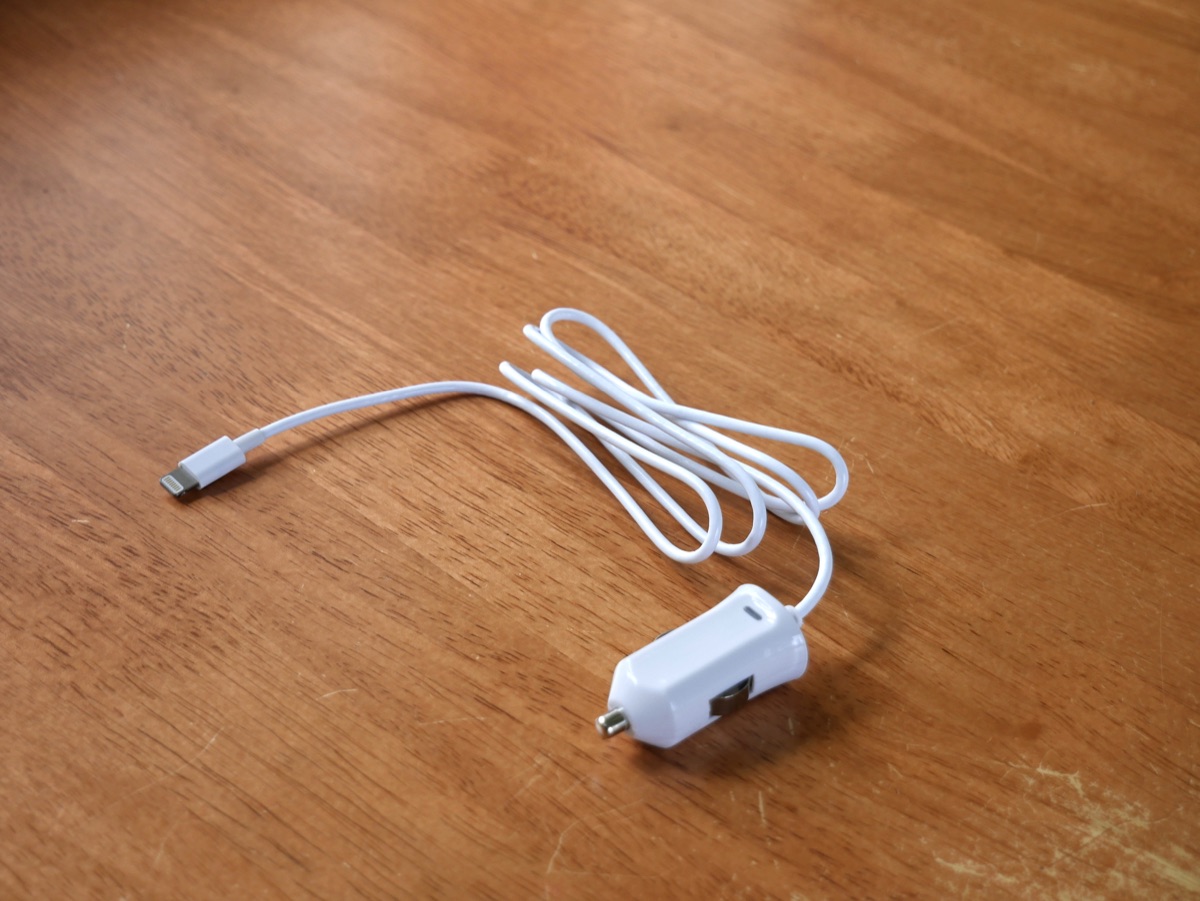
| Fast charger and a short cable | Navigation drains batteries quickly | Must-have |
| Power bank (bike couriers) | No car charger on a bike | Must-have on two wheels |
| Drink carrier and a few napkins | Stops spills in the bag | Useful |
| Flashlight | Finding unit numbers at night | Useful |
| Rain gear (bike) or a car trunk organizer | Keeps orders upright and dry | Useful |
| Dash camera | Evidence in accidents and disputes | Optional |
Keep every receipt. Bags, mounts, chargers and similar equipment are generally deductible business expenses (Chapter 11).
5. The Driver Card
Some Grubhub orders require you to pay at the restaurant or store, for example when a merchant is not set up for prepaid pickup, or for Shop + Pay orders at convenience stores and pharmacies. For these, Grubhub provides a Driver Card, a payment card you request in the Driver Card tab of the app. Grubhub says it has no PIN.
- Never use your personal card on a Grubhub order unless support explicitly tells you to and explains how you will be reimbursed. Reimbursement disputes are slow and frustrating.
- If your Driver Card has not arrived and you get an order that requires it, contact support from the order before you drive there.
- Keep the card in a separate pocket of your wallet so you never hand over the wrong card.
6. Choosing your vehicle
If you have options, the right vehicle depends on your market:
| Vehicle | Strengths | Weaknesses |
|---|---|---|
| Fuel-efficient car or hybrid | Works everywhere; weather-proof; big orders and catering | Parking in dense areas; higher cost per mile than a bike |
| Larger SUV or truck | Comfort; big catering orders | High fuel and wear cost per mile; hard parking |
| E-bike | Very low cost per mile; easy parking in dense downtowns | Weather; battery range; safety in traffic; only in some markets |
| Scooter or motorcycle | Fast in traffic; low fuel cost | Weather; carrying large orders; insurance requirements |
For e-bike couriers, Grubhub's own safety guidance is worth repeating: follow the manufacturer's charging instructions, never leave batteries charging unattended overnight, store them at room temperature, and know your local e-bike laws. Battery fires are a real risk in apartments.
7. Set up your records on day zero
The best time to start tax records is before your first delivery. You need three simple things:
- A mileage log. Use a mileage-tracking app or a notebook. Record your odometer at the start and end of every work session, plus the date. Chapter 11 explains why the miles Grubhub shows you are usually lower than the miles you can deduct.
- An expense folder. One folder (paper or digital) for every receipt: bag, mount, phone, parking, tolls.
- A weekly earnings sheet. Each week, copy from your statement: delivery pay, contribution, tips, missions, hours online, hours on blocks, and miles. Ten minutes a week gives you the data that Chapters 4, 6 and 12 rely on.
Also set aside money for taxes from day one. A common rule of thumb among self-employed drivers is to move 20% to 30% of profit to a separate savings account each week. Your right number depends on your income and deductions; Chapter 11 helps you refine it.
8. Your first week: a practice plan
Your first week is for learning, not for maximum money. Here is a simple plan.
- Day 1 (2 to 3 hours, around lunch or early dinner): work without a block, or claim one short block if open. Accept most reasonable offers close to you so you learn the process: arrive, confirm the order, check items, bag it, drive, photo, complete.
- Days 2 and 3: try one lunch and one dinner period. Start noting which restaurants are fast and which make you wait.
- Days 4 and 5: claim one or two blocks during dinner. Learn how the contribution and block conditions appear in your app.
- Days 6 and 7: work a weekend dinner. Track miles and time carefully. At the end of the week, fill in your earnings sheet and calculate gross pay per hour and per mile.
New driver rule: Grubhub's FAQ says you need 20 deliveries and active history in each stat category before you get a Driver level. Use those first 20 deliveries to learn the basics carefully. Avoid accepting offers you are unlikely to complete; every unassign counts against your Offer Commitment Rate from the very start.
9. The first-delivery walkthrough
- Offer appears. Read the total pay, the restaurant, the distance and the drop-off area. Accept or decline within the time shown.
- Drive to the restaurant. Mark yourself as arrived when you get there (not before; false progress updates are treated as violations).
- Pick up. Give the customer's name or order number. Check the bag: number of items, drinks, any sauces listed. Seal check if the restaurant uses tamper stickers.
- Confirm pickup in the app. Bag the food: hot with hot, cold separate, drinks upright.
- Deliver. Follow the drop-off instructions. For contact-free orders, take a clear photo of the order at the door with the unit number visible if possible, then swipe to complete.
- After the delivery. Check the pay that posted. If anything went wrong, write a one-line note now while you remember (Chapter 8 has scripts).
10. Common first-month mistakes
- Accepting long trips out of the region and finding yourself with no orders for the drive back.
- Claiming too many blocks, then dropping them late and hurting your Schedule Commitment Rate.
- Leaving the app on "Taking Offers" while on a break, then letting offers time out.
- Not checking orders at pickup, leading to missing-item complaints.
- Forgetting to log miles for the first few weeks; those deductions are hard to rebuild later.
- Sharing a verification code with a "support" caller. Never do this (Chapter 9).
11. Questions new drivers ask
Do I need a Grubhub bag to start? No. Grubhub says you can start right away with an insulated bag of your own, and it mails a Grubhub bag after your first delivery. Any clean, insulated bag that fits a large pizza works.
Can I deliver in a neighboring city? Only inside your delivery region. Deliveries may end outside it, but you must be inside the region to take offers. To change markets, Grubhub's FAQ says to use the support form.
Can a friend ride along? Grubhub has not published a single public rule on passengers for every market. Many drivers avoid it because it complicates insurance and building access. Never let a passenger make deliveries for you; that would be someone else working on your account.
What if I cannot sign in? Grubhub's FAQ lists possible reasons: never completing the application, a long period of inactivity, or a blocked account. Use the support form with the email you applied with.
How soon can I cash out? Grubhub's driver site says earnings become available about 15 minutes after a completed delivery, and Instant Cash Out sends up to $500 a day, with a $0.50 fee for non-Chase banks. Remember the 72-hour hold after any bank change.
Do I need a special license plate or permit? Generally not for food delivery in a personal car, but local rules on parking, e-bikes and commercial activity vary. Check your city's rules, especially for e-bikes and scooters.
Chapter checklist
Before your first shift: insurance call done; region map viewed; payment terms screenshotted; payout set; SOS located; Auto-Accept off; bag, mount and charger ready; mileage log started; tax savings account opened. After your first week: earnings sheet filled in and your gross pay per hour and per mile calculated.
Watch: “First Day Doing GrubHub Delivery Driving Scheduled Shift” by Chickenpatty (YouTube, Jan 2026). His first scheduled Grubhub shift, filmed start to finish and compared with DoorDash in his own zone: a realistic look at what a first block feels like.
Sources
- Grubhub for Drivers home page (requirements, Instant Cash Out, levels): https://driver.grubhub.com/
- Grubhub for Drivers FAQ (waitlists, Driver Card, gear, Auto-Accept, SOS, e-bike care, delivery regions): https://driver.grubhub.com/faq/