The Uber Eats Courier Playbook: chapters 1 and 2 free
Author's note
This book is for people who deliver with Uber Eats, or are about to. Some of you ride a bike through downtown at lunch. Some of you drive a sedan through the suburbs after dinner. The goal is the same for all of you: fewer bad offers, fewer wasted miles, fewer surprises on the weekly statement, and a clear picture of what you actually keep.
Everything here is written for the 2026 version of the work. Pay is upfront, a tip guarantee now covers many orders in the US, Uber Eats Pro has changed in several cities, New York City runs a reservation system called Planner, and California, New York City and Seattle each have their own pay floor. The IRS raised the mileage rate in the middle of the year. Some of what you learned a few years ago is out of date.
How to use this book. Read Chapters 1 to 3 first, in order. They give you the pay model, the right setup for your vehicle, and a ten-second method for reading offers. Most couriers gain more from those three chapters than from anything else. After that, jump to what you need: Chapter 4 if you are deciding whether to chase a Pro tier, Chapter 8 when a pickup goes wrong, Chapter 9 the day you get a strange phone call, Chapter 10 if you work in California, New York City or Seattle, and Chapter 11 before tax season. Chapter 12 ties it together with a 30-day plan you can follow day by day.
A few ground rules. Uber does not publish how its dispatch system chooses who gets which order, so when this book describes how offers seem to behave, it says what couriers commonly report and marks it that way. App screens and labels change, and rules differ by city, so treat every rule here as something to confirm in your own Driver app before you rely on it. Numbers that come from drivers or creators are attributed to them. Math that is meant to show a method is marked as illustrative.
This book makes no earnings promises. Your results depend on your city, your vehicle, your hours, your costs and plenty of luck. What it can do is help you make better decisions with the information in front of you.
This guide is independent. It is not affiliated with, sponsored by or endorsed by Uber Technologies, Inc. It never asks you to break the platform's terms: no bots, no auto-acceptors, no location spoofing and no account sharing. Nothing in here depends on them.
Ride safe, keep good records, and decline the offers that do not pay.
Chapter 1: How Uber Eats Really Pays in 2026
Every decision you make as a courier, from which offer to accept to which hours to work, depends on understanding exactly where your money comes from. This chapter takes the 2026 pay model apart piece by piece: the upfront fare, tips and the new tip guarantee, promotions, adjustments, the weekly statement and the ways you can cash out. By the end you should be able to look at any trip in your earnings history and explain every dollar on it.
The short version
Uber Eats shows you an upfront amount before you accept. That amount is the fare Uber sets for the delivery plus any tip the customer added at checkout. After the trip, promotions, adjustments and any extra tips are added. You keep 100% of tips. On eligible orders marked "Guaranteed," Uber covers the difference if the customer lowers the tip after delivery. In California, New York City and Seattle, a legal pay floor can add an adjustment on top. Your real result is what is left after your vehicle costs and taxes.
1. The Upfront Offer: What You See Before You Tap Accept
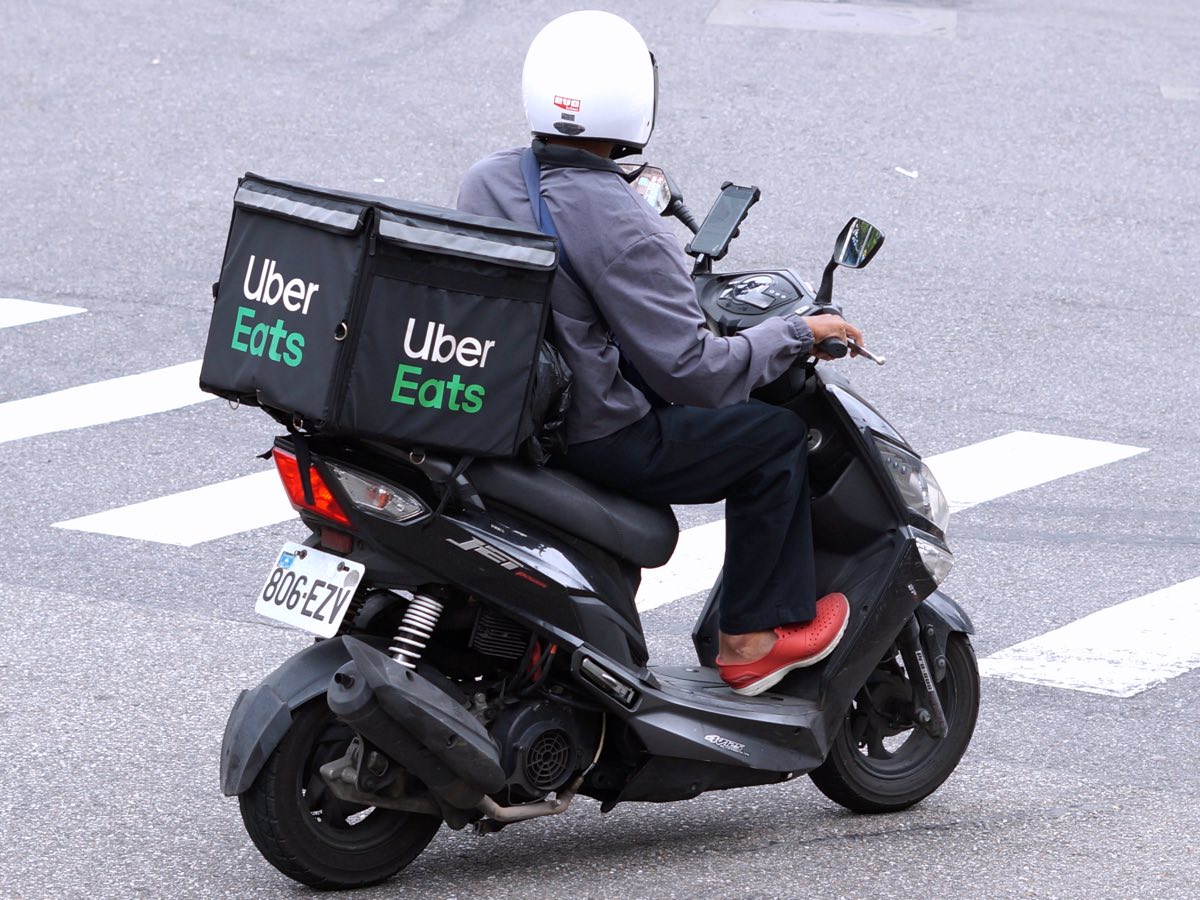
When an offer arrives, the request card shows the estimated pay, the pickup location, the drop-off area, and the estimated time and distance. Uber describes upfront fares as reflecting "the anticipated time and effort for that specific delivery, plus real-time factors in your area." In plain terms, the fare is priced by Uber for that specific trip. It is not a fixed base rate plus a fixed per-mile rate that you can calculate yourself.
The amount on the card has two parts that the app may or may not split for you:
- The fare. What Uber pays for the delivery. It can include time and distance, plus anything Uber adds for demand in the area at that moment.
- The upfront tip. Any tip the customer entered when they placed the order. It is included in the total you see.
Some offers also show a badge or a separate line for a promotion that will be added, such as a Boost+ amount. Other promotions, such as a Quest, are tracked separately and paid when you complete the goal.
Field habit: Train yourself to read four things in this order: total pay, total miles (pickup plus drop-off), estimated time, and where the drop-off ends up. Those four numbers decide almost every offer. Chapter 3 turns them into a quick test.
2. What the Upfront Number Does Not Tell You
The upfront amount is a good starting point, but it leaves out a few things that matter:
- The miles to reach the restaurant are part of the trip. Check whether the distance shown includes the drive to pickup. Read the card carefully on your own app version, because the layout changes from time to time.
- Waiting time. The estimate assumes the food will be ready roughly when you arrive. If you wait twenty minutes at a busy counter, your hourly rate on that trip falls. Couriers commonly report that long waits sometimes produce a small adjustment, but Uber has not published a fixed waiting-time rate for the US, so do not count on it.
- The return trip. The drop-off may leave you in a quiet suburb or outside your area. The offer does not pay you to get back.
- Your costs. Fuel, wear, insurance, phone data and bike maintenance all come out of your pocket. The app has no idea what they are. You do, or will after Chapter 3.
3. Tips: How They Work in 2026
Uber states that couriers keep 100% of the tips they receive. Customers can tip at checkout, and they can also tip or change the tip after delivery. That second part is where most frustration has come from over the years: a customer adds a generous tip to attract a courier, then lowers or removes it after the food arrives. Couriers call this "tip baiting."
The tip guarantee
Uber announced that it began rolling out a tip guarantee on US delivery trips in November 2025, area by area. When it applies, you will see a "Guaranteed" badge on the request. Uber's explanation is that the total shown is the minimum you will receive after delivery; if the tip is reduced after delivery, Uber covers the difference. Tip increases still go entirely to you.
The guarantee has exceptions, and you should know them before you rely on it. According to Uber's published list:
- Basket changes: when a customer tips a percentage of the order, items removed or replaced can lower the tip (common on grocery orders).
- Not received: if the customer reports the order was not received and is reimbursed, no tip is collected.
- Cancellations: no tip on a cancelled order; on a batched trip, the tip is not collected if one delivery in the batch is cancelled.
- Reassignment: if the order is reassigned, the tip goes to the courier who completes it.
- Suspicious activity: orders flagged by Uber's systems for suspected violations.
- Payment failure: if the customer's payment fails, no tip is collected.
- Third-party orders: deliveries placed through other companies' systems may not be included.
The practical lesson: a "Guaranteed" badge makes the tip much more reliable, but two exceptions are in your control. A clean delivery with a proper drop-off photo protects you from most "not received" disputes, and completing the whole batch protects the tips on both orders.
| Pay component | When you see it | Can it change after delivery? |
|---|---|---|
| Fare (Uber's price for the delivery) | On the request card | Usually no; may be adjusted for a big route change or a problem you report |
| Upfront tip | Included in the request total | Customer can change it; covered by the tip guarantee where it applies, with exceptions |
| Extra tip after delivery | In your trip details later | Only goes up for you |
| Boost+ (area promotion) | Heatmap / Discover, sometimes on the card | Paid if the trip qualifies under the promotion terms |
| Quest | Discover, after you opt in | Paid when you reach the goal in the time window |
| Legal pay floor adjustment (CA, NYC, Seattle) | On your statement | Calculated per pay period or per trip, depending on the law |
4. Promotions: Boost+, Quests and Demand Pricing
Uber's US courier earnings page lists two main promotions:
- Quest: extra pay for completing a set number of trips that meet the criteria, within a set time. You opt in through the Discover section of the Driver app.
- Boost+: extra pay on each delivery that starts and ends inside a specific area during a set window. Check eligibility in Discover.
You may also see busy areas shaded on the heatmap, and couriers commonly report that fares in busy areas run higher. Uber folds "real-time factors in your area" into the upfront fare, so in most markets you do not get a separate surge line the way older courier guides described. Chapter 5 covers how to use these signals without chasing them across town.
Watch out: A Quest can push you to accept trips you would normally decline. Before you opt in, do the math in Chapter 3: if hitting the Quest requires five or six poor trips, the bonus may not cover them.
5. Adjustments and Legal Pay Floors
Uber's earnings page notes that in some markets a minimum earnings guarantee pays the difference automatically if your earnings for time on trips fall below a set rate. In the US this happens mainly where the law requires it:
- California (Prop 22): 120% of the applicable minimum wage for engaged time (statewide $16.90 × 1.2 = $20.28 per hour in 2026, higher in cities with a higher local minimum wage) plus $0.37 per engaged mile. Tips are on top.
- New York City: the DCWP minimum pay rate for app-based restaurant and grocery delivery workers is $22.13 per hour before tips, from the first pay period on or after April 1, 2026.
- Seattle (PayUp): for 2026 the city lists $0.47 per minute and $0.80 per mile, with a $5.34 minimum per offer, whichever is greater.
These floors are explained in full in Chapter 10. For now, know that an "adjustment" line on your statement is usually one of these floors, a correction for a reported problem, or a support credit.
6. Reading Your Weekly Earnings Statement
Your earnings week in the Driver app runs on a fixed schedule; check the dates shown in the Earnings tab. For each trip you can open the details and see the fare, tips, promotions and any adjustment. Build this habit from the first week:
- Open three random trips every week. Compare the upfront total you accepted with the final amount. If they differ, find the reason.
- Look for missing tips. If an order had a "Guaranteed" badge and the tip dropped, the difference should appear. If it does not, contact support (Chapter 8 has a script).
- Check promotions. Did the Quest you finished pay? Did the Boost+ trip get its extra amount?
- Note your online time and active time. Your true hourly rate uses online time, not just time on trips.
 WHERE ONE TRIP'S MONEY COMES FROM (illustrative)
 ┌────────────────────────────────────────────┐
 │ Upfront total on card ............. $11.40 │
 │   ├─ Fare (Uber) ................... $6.40 │
 │   └─ Upfront tip ................... $5.00 │
 │ + Boost+ (area promo) .............. $1.50 │
 │ + Extra tip after delivery ......... $2.00 │
 ├────────────────────────────────────────────┤
 │ Final trip earnings ............... $14.90 │
 │ - Your cost: 5.2 mi x your $/mi ...  ?     │
 │ = What you actually keep ..........  ?     │
 └────────────────────────────────────────────┘
The last two lines are the ones the app never fills in. Chapter 3 shows you how.
7. Getting Paid: Weekly, Flex Pay, Instant Pay and the Uber Pro Card
- Weekly deposits: if you do nothing, Uber sends your earnings to your bank account automatically each week; Uber's page says deposits usually arrive on Thursdays.
- Instant Pay: cash out available earnings to an eligible debit card up to six times a day. Uber's US page lists a fee of $1.25 per cash out to a personal debit card. Funds usually arrive within minutes, but bank delays happen.
- Flex Pay: set your own automatic withdrawal schedule.
- Uber Pro Card: Uber's debit Mastercard, described as giving free automatic payouts after every trip, plus cash back on gas and EV charging that depends on your status.
Fees look small, but they add up. Six $1.25 cash-outs a day for 25 days a month would cost $187.50. If you need cash daily, one cash-out at the end of the shift, or a free option, is a cheap fix.
8. Gross, Net and the Number That Matters
There are three different "hourly" numbers, and mixing them up is the most common mistake new couriers make:
| Measure | Formula | What it is good for |
|---|---|---|
| Active hourly | Earnings ÷ time on trips | Comparing offers; what screenshots online usually show |
| Online hourly (gross) | Earnings ÷ total online time | Comparing shifts, zones and apps |
| Net hourly | (Earnings − vehicle and other costs) ÷ total online time | Deciding whether the work is worth it |
Illustrative example: a car courier earns $160 in 7 hours online, of which 5 hours were on trips, and drives 95 miles. Active hourly is $32. Online hourly is about $22.86. If that courier's real cost is $0.30 per mile, costs are $28.50 and net hourly before taxes is about $18.79. Same shift, three very different numbers. Only the last one tells you what you earned.
Key point: When you see a screenshot online showing a great hourly rate, ask which of these three numbers it is. Most are active hourly, from a good day, before costs.
9. What Uber Has Not Published
Be careful with claims you will see in forums and videos. Uber has not published how it decides which courier gets which offer, how much of the fare comes from distance versus time in your market, or whether declining offers affects what you are shown next. Couriers commonly report patterns, and some may be true in some places, but treat them as hypotheses, not facts. Your own records over several weeks are the best evidence you will ever have about your market.
10. Chapter Checklist
- I can name every line that can appear on a trip's earnings.
- I know whether the tip guarantee is live in my area (look for the "Guaranteed" badge).
- I know whether my city or state has a legal pay floor.
- I have chosen how I get paid and know what each cash-out costs.
- I will track online time, active time and miles from my first shift.
Watch: “How Much Do Uber Eats Drivers Make in 2026?” by Gridwise (YouTube, Jul 2026). Gridwise breaks down 2026 Uber Eats pay from its users' data, putting the gross average at $18.60 an hour (about 43% base pay and 50% tips, by its numbers) before gas, maintenance and insurance.
Sources
Chapter 2: Getting Started: Requirements, Vehicle Choice and Gear
Uber Eats is one of the few delivery apps that lets you work on foot, on a bicycle, on a scooter or in a car, depending on your city. That flexibility is a real advantage, but it also means the right setup is different for every courier. This chapter covers the sign-up requirements, how to choose your vehicle based on cost per mile rather than habit, the insurance gaps nobody explains, and the gear that actually earns back its price.
The short version
Bike and walking couriers must be at least 18; scooter and car couriers at least 19 (Uber's US page says 21 for cars in California and New York State). Everyone passes a background screening. Choose your vehicle by what it costs per mile and how far orders travel in your city, not by what you already own. Keep your personal auto insurance active, understand that Uber's liability coverage is not the same as coverage for your own injuries or vehicle, and buy only the gear that saves time or protects food and you.
1. Sign-Up Requirements in 2026
Uber's US delivery page lists these requirements. Check the page and the app for your city, because some markets add their own rules and many require proof of residency.
| How you deliver | Minimum age | What you need |
|---|---|---|
| On foot or bicycle | 18 | Government-issued ID, Social Security number, background screening |
| Motorbike or scooter | 19 | Valid driver's license in your name, Social Security number, background screening |
| Car | 19 (21 in California and New York State, per Uber's page) | 2-door or 4-door car, valid driver's license in your name, Social Security number, background screening; vehicle registration and insurance as required in your area |
A few practical notes from the sign-up process:
- Use your legal name everywhere. The name on your license, bank account and tax information should match. Mismatches cause payment delays and tax form problems.
- Expect identity checks. Uber may ask for a selfie when you sign up and occasionally when you go online, to confirm the person delivering is the account holder. This is normal. Do it in good light without a hat or sunglasses.
- Keep documents current. An expired license or insurance card can pause your account until you upload a new one. Put the expiry dates in your phone's calendar.
- Read the sign-up promotion terms. Uber sometimes advertises new-courier bonuses for completing a set number of deliveries within a set number of days. These offers vary by city, change often and have exclusions. Read the terms in the app before you plan around one.
2. Choosing Your Vehicle: The Cost-Per-Mile View
Most couriers start with whatever they already own. That is fine for week one. By week four, you should know what your vehicle costs per mile, because that number decides which offers are worth taking. Chapter 3 shows how to calculate it precisely; this table gives illustrative ranges to compare options.
| Vehicle | Typical order radius | Running cost per mile (illustrative) | Best market fit | Main downside |
|---|---|---|---|---|
| Walking | Under 1 mile | Near $0 | Very dense downtowns, campuses | Few offers, slow, weather |
| Pedal bike | 1–3 miles | $0.03–$0.08 | Dense cities with bike lanes | Hills, weather, physical limit |
| E-bike | 1–5 miles | $0.05–$0.15 (battery wear counts) | Dense cities, mid-size downtowns | Battery cost, theft, local rules |
| Scooter / moped | 2–7 miles | $0.10–$0.20 | Cities with parking problems | License and insurance, weather |
| Fuel-efficient car | 2–12 miles | $0.20–$0.40 (all-in) | Suburbs, spread-out cities | Parking, depreciation |
| Large SUV / truck | 2–12 miles | $0.35–$0.60 (all-in) | Rarely the best choice for food | Highest cost per mile |
These ranges are rough illustrations, not data from Uber. Your real numbers depend on fuel prices, insurance, repairs and how many miles you drive per year.
Rule of thumb: In a dense downtown, a bike or e-bike often wins because it skips parking and traffic and costs almost nothing per mile. In the suburbs, a car wins because orders travel too far for a bike. Many couriers in mid-size cities find a fuel-efficient car best at dinner and an e-bike best at weekday lunch near offices.
3. Bike and E-Bike Couriers: What to Know
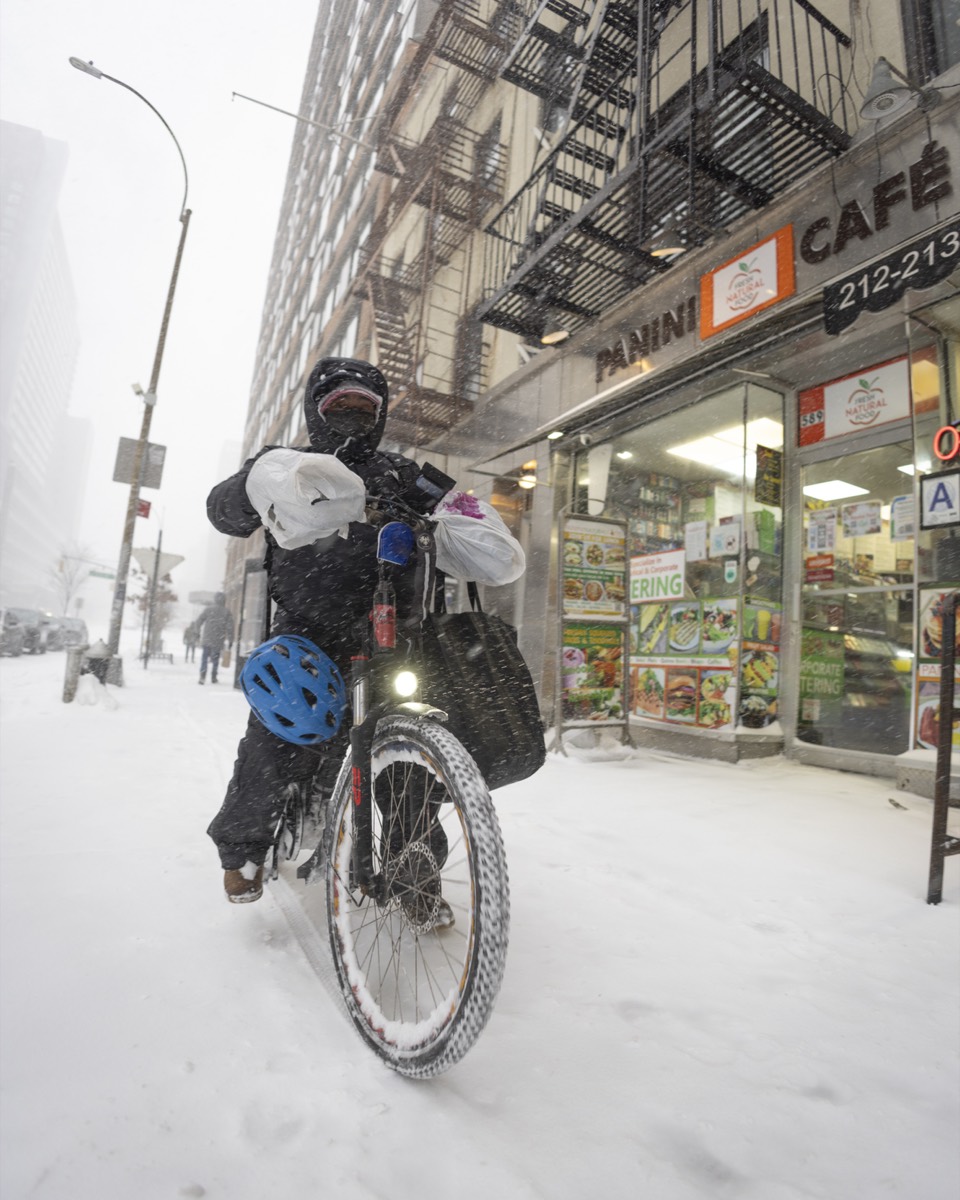
- Batteries and local rules. Many cities regulate e-bikes by class and speed, and some regulate batteries. New York City, for example, has rules requiring e-bikes and batteries sold in the city to meet safety certification standards. Buy certified batteries and chargers, never charge a damaged battery, and do not charge unattended overnight in a small apartment. Check your city's current rules before you buy.
- Theft. A stolen e-bike can wipe out a month of earnings. Use a heavy lock, lock to something solid even for a two-minute pickup when you can, and remove the battery if it detaches.
- Carrying food. Hanging bags from handlebars, as many couriers do, makes steering unstable and spills drinks. A rear rack with a box, or a backpack-style insulated bag, keeps food level and your hands free.
- Visibility. Front and rear lights, reflective strips on the bag and on your jacket, and a bright helmet. Many evening deliveries happen in the dark.
- Traffic law. Bike couriers are usually expected to follow the same traffic rules as other bike riders, and some cities ticket sidewalk riding. A ticket costs more than several orders.
4. Car Couriers: Parking, Wear and the Right Car
- Parking is part of the trip. Before you accept downtown orders in a car, know where you will park at the restaurant and at the drop-off. Parking tickets are not reimbursed by Uber.
- Hazard lights do not make illegal parking legal. Stopping in a bus lane or fire lane for a "quick" pickup is how couriers get tickets and towing bills.
- Wear adds up quietly. Short trips with many stops are hard on brakes, tires and batteries. Budget for them (Chapter 3 shows how).
- Bigger is rarely better. Food orders fit in any car. A small, efficient car beats an SUV every week on cost per mile.
5. Insurance: The Gaps Nobody Explains
Uber's US insurance page for delivery says its third-party liability coverage may pay for injury or property damage to others if you are at fault, depending on your state and whether you are online, en route or on a trip. Uber does not maintain coverage while you are offline, and it requires you to keep personal auto insurance at least at your state's minimum while you use the app.
Three gaps to understand before your first shift:
- Your own vehicle. Liability coverage pays others, not you. Damage to your own car may not be covered unless your policy or Uber's coverage in your state includes it. Read the Insurance section of the Driver app for your state.
- Your personal policy may exclude delivery. Many personal auto policies exclude business use. Ask your insurer whether you need a rideshare or delivery endorsement. Not telling your insurer and then filing a claim from a delivery can lead to a denied claim or a cancelled policy.
- Your own injuries on a bike or on foot. Uber's US page is built around auto liability. If you ride, check your health insurance, and consider whether you need accident coverage. Do not assume an accident on a bike is covered by Uber.
Important: Insurance terms vary by state and change over time. This section is general information. Read the Insurance section of your Driver app and talk to your own insurer before you rely on any coverage.
6. Gear That Pays for Itself
| Item | Why it matters | Priority |
|---|---|---|
| Insulated delivery bag (large, with a rigid base) | Hot food arrives hot, drinks stay upright, fewer complaints | Must have |
| Drink carrier or cup holder insert | Spilled drinks are a leading cause of complaints and refunds | Must have |
| Phone mount (car or handlebar) | Read offers safely, hands-free navigation | Must have |
| Power bank or car charger + spare cable | The app and GPS drain batteries fast; a dead phone ends the shift | Must have |
| Unlimited or large data plan | Navigation, the app and photo uploads all use data | Must have |
| Rain gear / weatherproof bag cover | Rain shifts are often busy; soaked bags ruin food | High (bike/scooter) |
| Lights and reflective vest | Being seen at night | High (bike/scooter) |
| Small flashlight | Finding apartment numbers at night | Medium |
| Hand sanitizer, napkins, a few bags | Clean hands, quick fixes for a leaking container | Medium |
| Dash camera (car) | Evidence in disputes and accidents; check local recording laws | Optional |
Skip gadgets that promise to "grab" better offers or accept automatically. Third-party auto-accept and offer-filtering tools violate Uber's terms and can get your account deactivated. Everything in this book works with the app as Uber provides it.
7. Setting Up the App Before Your First Shift
- Set your vehicle type correctly. The app uses it for routing and offer distance. If you switch between bike and car, update it before you go online.
- Choose your navigation app. You can use the built-in navigation or switch to Google Maps or Waze in settings. Pick one and learn it.
- Add your bank account and tax information. Do this before your first trip so your first payout is not delayed.
- Turn on notifications and sound. Offers time out quickly. A missed offer counts against your acceptance rate in some programs (Chapter 4).
- Find these screens now, not mid-shift: Earnings, Discover (promotions), the heatmap, Help, the Uber Eats Pro or Uber Pro hub, and the Insurance section.
- Request the Plus Card if you want grocery orders. Shop & Pay orders (labeled "Shop & Deliver" in the app) require an activated Plus Card (Chapter 6).
8. Your First Shift: A Simple Plan
- Pick a two- or three-hour window at a known busy time, such as weekday lunch (about 11 a.m. to 2 p.m.) or dinner (about 5 to 9 p.m.).
- Start near a cluster of restaurants you can reach easily, not on the edge of town.
- Accept a few modest offers to learn the flow: arrive, confirm the order, check items, deliver, take the photo.
- Write down, for each trip: pay, miles, minutes and any wait. You will use this list in Chapter 3.
- Stop on time. Your first goal is learning, not a record.
9. Weather and Seasons: Planning Your Gear Year-Round
Delivery demand and difficulty both change with the seasons, and the right gear changes with them.
- Summer heat: carry water, take shade breaks, and keep the phone out of direct sun on the mount; phones overheat and shut down. Cold items need a separate insulated section or ice packs on long grocery trips.
- Rain: a waterproof bag cover, a jacket with a hood that does not block side vision, and a cloth to dry the phone screen. Rain shifts are often busy, but braking distances are longer for bikes and cars alike.
- Snow and ice: bike couriers need wider tires with grip, or should consider not riding at all. Car couriers need good tires, a scraper and a blanket in the trunk. Do not accept offers to unplowed areas you cannot reach safely.
- Short winter days: more deliveries happen in the dark. Lights, reflective gear and a flashlight for house numbers become essential.
A simple rule: the weather that makes customers order is the weather that makes the job harder. Decide in advance what conditions you will not work in, and stick to it.
10. Chapter Checklist
- My documents are uploaded and their expiry dates are in my calendar.
- I know roughly what my vehicle costs per mile and why I chose it.
- I have asked my insurer about delivery use and read the Insurance section of the app.
- I have an insulated bag, drink carrier, phone mount and power bank.
- I know where Earnings, Discover, the heatmap and Help are in the app.